
Steps to Create Google Cloud Platform (GCP) Account

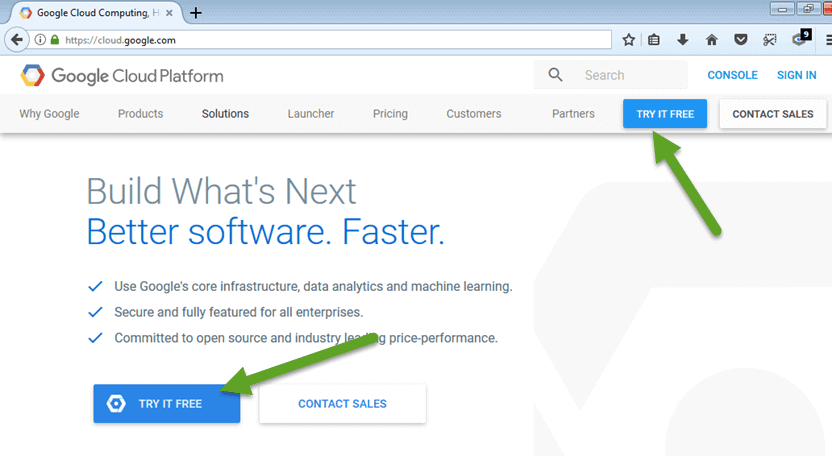
1. Go to https://cloud.google.com/ and click on ‘TRY IT FREE‘.
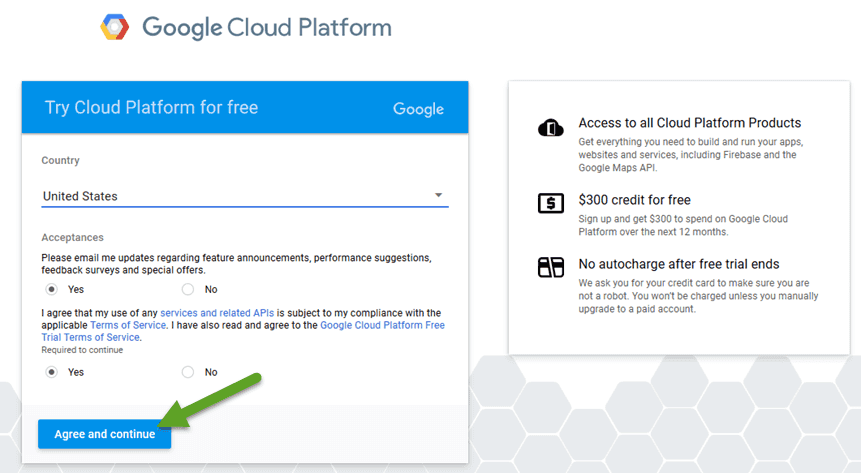
2. Now, it will ask you to login to your Gmail account and choose your country and accept the terms & conditions.
3. In the third step, you have to fill your details, like account type, Name, Address, credit card details, tax information, etc. If you have old Gmail account and all the information is already there it would take it and you might not have to fill all the details.
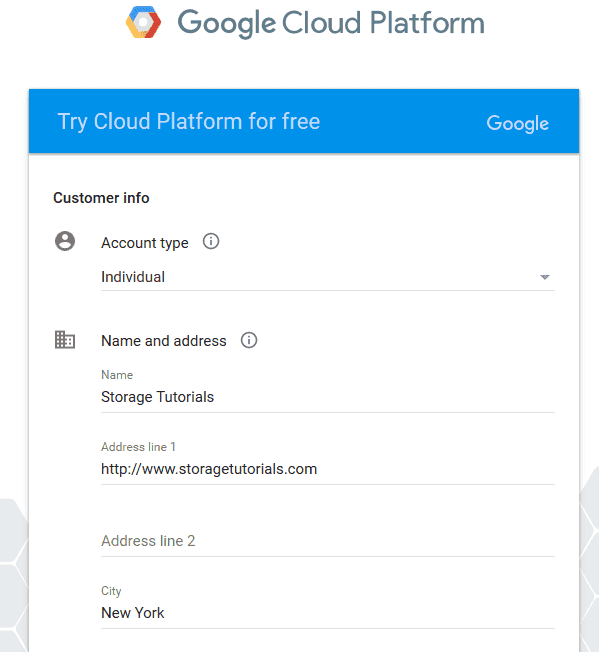
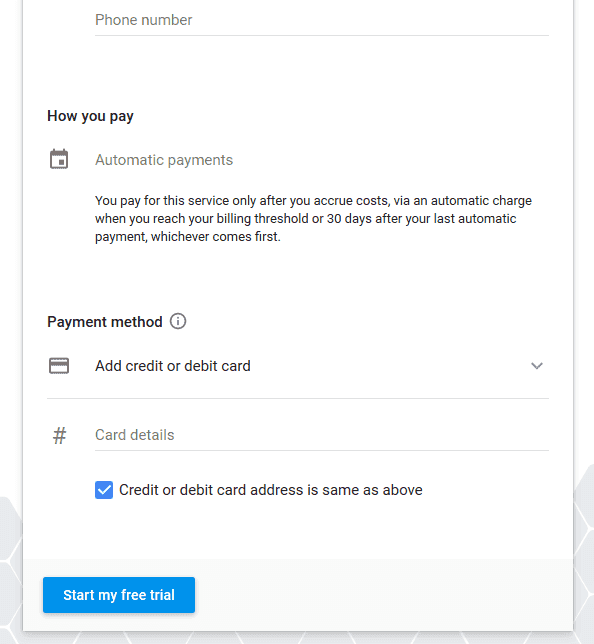
After filling all the details click on “Start my free trial“.
Note: Credit Card is must to create Google Cloud Platform account
4. Now Google will setup your cloud account and in few seconds your Google Cloud Platform account will be ready. It will look like below.
That’s it. Now you are good to deploy your first cloud instance, cloud application, etc.


Comments
Post a Comment